
 BuzzTools.com
BuzzEdit 4
A BuzzEdit Toolkit Product
Embroidery Design Editing & and Customizing Software
With so many features, it's like having six programs in one!
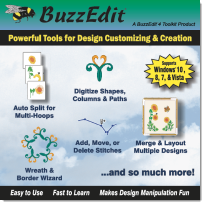
You will be amazed at what you can do with BuzzEdit. It is a powerful stitch editor, an automatic multi-hooping tool, a layout program, a basic digitizing program, a customizer and an automatic wreath and border creator.
Robust Tools for Customizing
While BuzzEdit started as a simple embroidery stitch editor, it has continued to grow into a robust tool for customizing and creating embroideries! Users appreciate powerful and easy to use wizards built into BuzzEdit.
Power over your stitches!
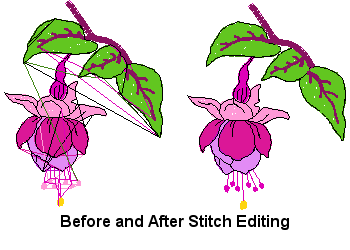
With the powerful stitch editing capabilities, stitches can be added, moved or deleted, either individually or in contiguous selections. Clean up designs, change stitch sewing order, bury jump stitches or remove any run of contiguous stitches - quickly and easily!
Split Designs for Multi-Position Hoops
Automatically or manually split designs for multi-hoops. The Automatically split designs for multi-position hoops or manually split designs for custom hoops or special projects.
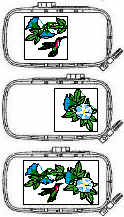
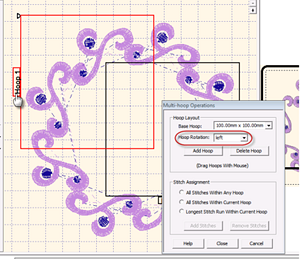
Multi-Hoop Support and Splitting
Supports most current embroidery hoops and multi-hoops. Create your own custom hoop layout easily using the BuzzEdit wizard that automatically calculates the multi-hoop layout based on your hoops size and design dimensions.
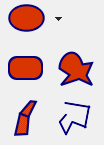
Digitize Shapes and Objects
Digitize custom shapes such as ellipses, rectangles, custom shapes, columns and paths. Cut holes in designs for clocks, buttonholes and light switches. Digitized objects are retained in the BUZ file for future editing.
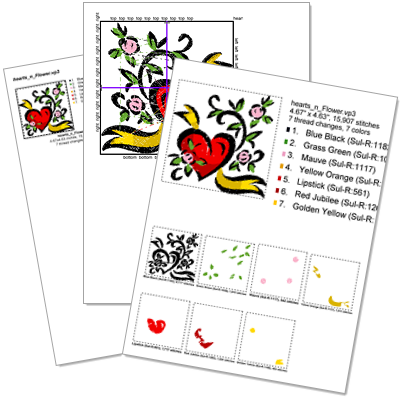
Printed Reports
Print design lists, thumbnails, actual size and templates.
Create professional-looking design catalogs for embroidery customers to browse. Customize your thumbnail reports to include sewing information and number of thumbnails per page. Print actual Size with complete sewing information. Great for at your embroidery machine. Print a design table of contents and optionally include file names
Embroidery Formats
OPENS
ART, ART50, ART60, ART70, ART80, ASD, CND, CSD, DST, EMB, EMD, EXP, GNC, HUS, JEF, JEF+, OEF, PCD, PCS, PCQ, PEC, PEL, PEM, PES, PHB, PHC, SEW, SHV, VIP, VP3, & XXX
SAVES
CSD, DST, EMD, EXP, HUS, JEF, PCS, PES, SEW, SHV (on drives), VIP, VP3 & XXX
BACKGROUND GRAPHIC FORMATS
BMP, EMF, GIF, JPG, PCX, PNG, TIF, & WMF
Display only - BuzzEdit does not convert graphic to embroidery designs. Graphics are available for background images only.
BuzzEdit 4
Key Features
Powerful User Interface
The built-in wizards make customizing projects easy! Zoom in on an area of your design while you work. The complete design is still shown in the realistic 3-D reference. Use the powerful stitch time graphs to easily select stitches or analyze a design.
Layout
Merge multiple designs into one layout including huge designs using a predefined or custom multi-hoop. Automatically add basting stitches to single or multi-hoop designs.
Embroidery Design Editing
Robust stitch editing capabilities allow you to add, move or delete individual stitches. Slice designs for multi-hoops or to remove elements. Reverse the stitch order of a selection. Add or remove color breaks, change stitch types and convert formats. Basic editing functions include mirror, rotate and stretch (no stitch re-calculation) with a movable custom center.
Digitize
View a background graphic in the workspace while you create shapes such as ellipses, rectangles, custom shapes and columns. Outlines are available as running, bean or zig-zag stitch. The appliqué function creates position tack down & finishing in one step. Remove stitches under objects or create holes in designs -- useful for creating clocks, button holes and light switch covers. Objects are retained in the BUZ file for future editing. Change object attributes such as fill pattern, stitch density, pull compensation and more.
Further enhance your creations with the manual stitch tool which can add, move or delete individual stitches.
Automatic Design Tools
Create continuous borders with the easy to use wizard. Alignment stitches are added automatically for you making your border easy to sew. Create coordinating wreath & label designs with the wreath wizard. Colors are sorted automatically to save you time!
Hoops and Multi-Hoops
BuzzEdit supports most current embroidery hoops and multi-hoops. Simple custom hoop layout - just choose your hoop, enter the dimensions of your design and all calculations are done for you.
With the free form multi-hoop tool, place hoops exactly where you want them for manual hooping. Once your layout is complete, automatically add alignment stitches for perfect placement at the machine.
Automatically split oversized designs for multi-hoops. Or manually split designs with the enhanced slice tool which optionally adds needle points or feathers the edge of the slice to soften the point of overlap.
Printed Templates and Reports
Print placement templates for regular and multi-hoops for perfect placement. Printed worksheet creates a detailed printout for use at the machine and the printed summary
BuzzEdit 4
Screen Shots & Report Samples
Here are just a few sample BuzzEdit screens and dialogs. Click on any image to view it full size. Click on the X to close the model window and return to this page.
Program Workspace
BuzzEdit Workspace
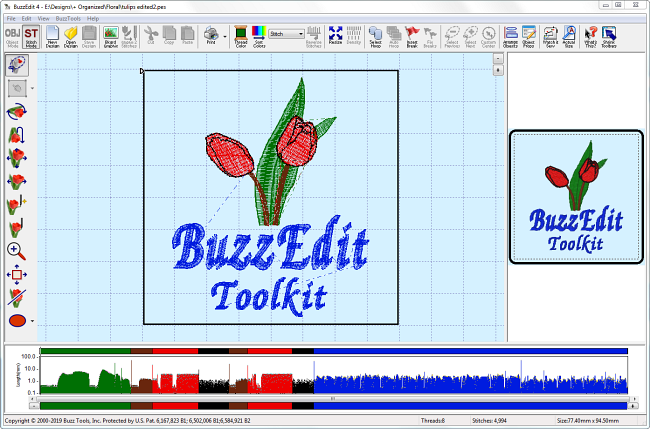
The BuzzEdit workspace give you a realistic 3-D preview of your designs, a spatial workspace window and the patented Stitches-in-Time windows which give you insight into how your designs stitch in time.
Actual Size Preview
Actual Size Preview
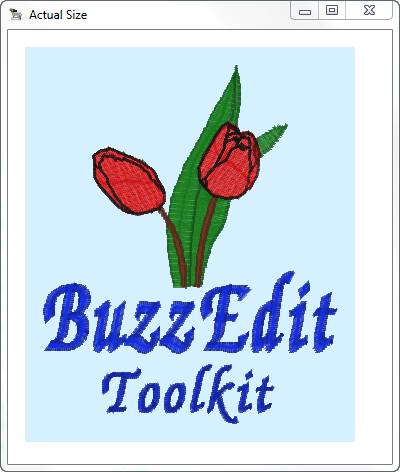
The actual size preview always displays detailed sewing information and embedded design notes (if available).
The actual size pop-up window lets you see a larger view of your design in realistic 3-D which makes it especially easy to view fill patterns and outlines.
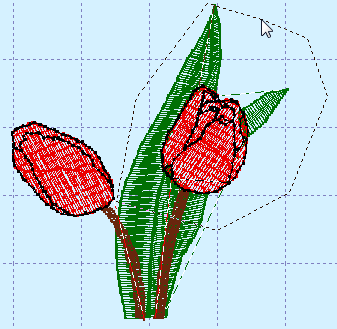
Using the Slice Tool you can quickly cut out specific areas of your design and save them as new designs. It's a great way to create complementary designs for a project. We saved this flower section and used it to create the wreath and border designs below.
Create Wreaths
Create Wreath Wizard
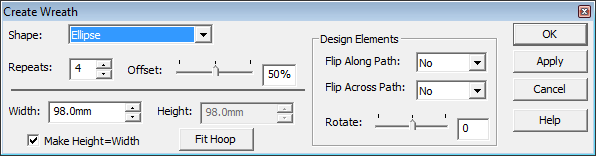
The Create Wreath Wizard allows you to create an abundance of embroidery designs such as frames, labels, wreaths and snowflakes. Choose the shape, number of repeats as well as other options for a unique and beautiful wreath that is all your creation!
Flower Wreath Example
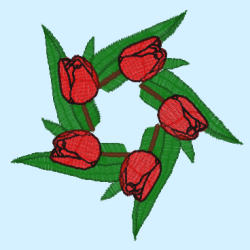
Flower Wreath Example
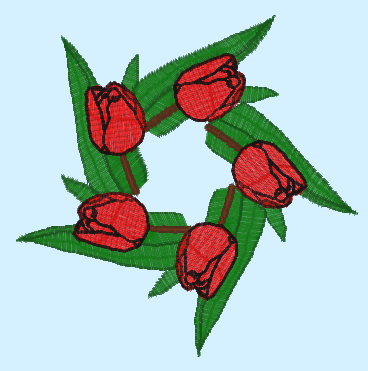
The flower element from our design makes a lovely complementary design.
By making a few selections with our flower design, we have created a beautiful floral wreath.
Repeating Borders
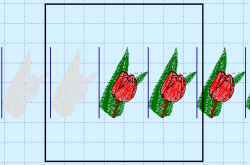
Repeating Borders
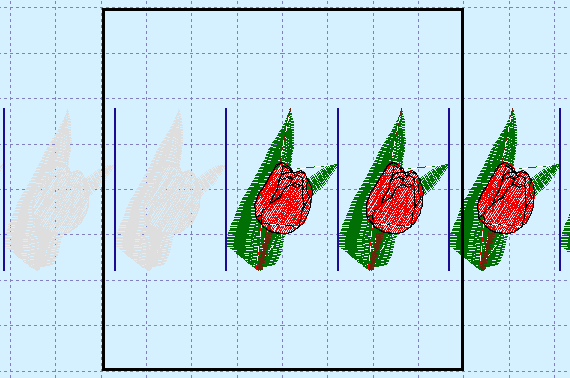
Control the direction, and spacing of repeated designs along with alignment stitch properties.
The same embroidery design can be used to create a repeating border. The Border Wizard automatically adds alignment stitches so that your border designs stitch correctly at the machine.
Printed Worksheet
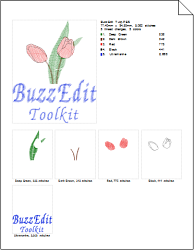
Printed Worksheet
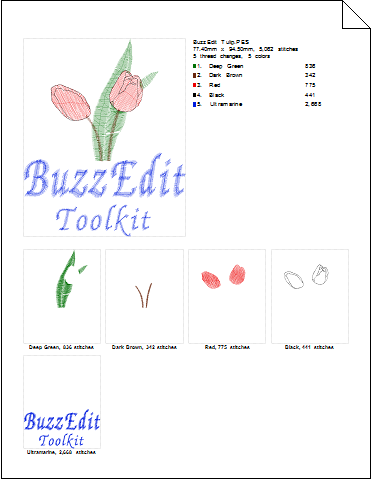
The printed worksheet is the perfect reference at your embroidery machine.
Print a worksheet of your embroidery design for all the information needed at the embroidery machine.
Placement Template
Package Design Collections
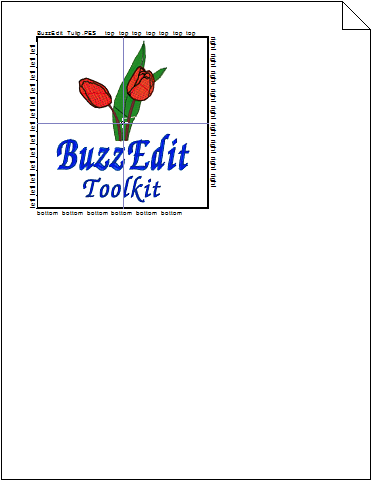
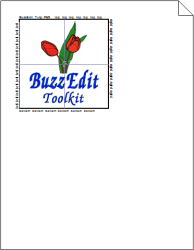
Use the placement template to ensure exact design placement on your project.
Print placement templates for regular and multiple position hoops (built in or custom). These allow for perfect placement every time..
BuzzEdit 4
Choose the version that fits your needs.
- BuzzEdit 4 Full (Shipped)
- Single User License
- Windows 7 and later
- Includes CD
- PDF Manual
- US 189.95 + Shipping
- BuzzEdit 4 Full (Digital)
- Single User License
- Windows 7 and later
- Optional Backup CD
- PDF Manual
- MOST POPULAR
- US 189.95
- BuzzEdit 4 Upgrades
- From BuzzEdit v3 US $95
- From BuzzEdit v1-2 US $130
- Varies
WHAT BUZZEDIT CUSTOMERS ARE SAYING
I use BuzzEdit constantly to help me in my designing and editing for my creations that feature on my website. It is simple and fast to use. Actually it inspired me to expand on my ideas for designs. I could not do without BuzzEdit and BuzzSize...
-- Lynn Ruggles - President Letz Rock Embroidery